
Every care workflow. One connected platform.
Enhance Care unites your team, clients, schedules, goals, documents, messaging, and AI assistant — purpose-built for modern care management.
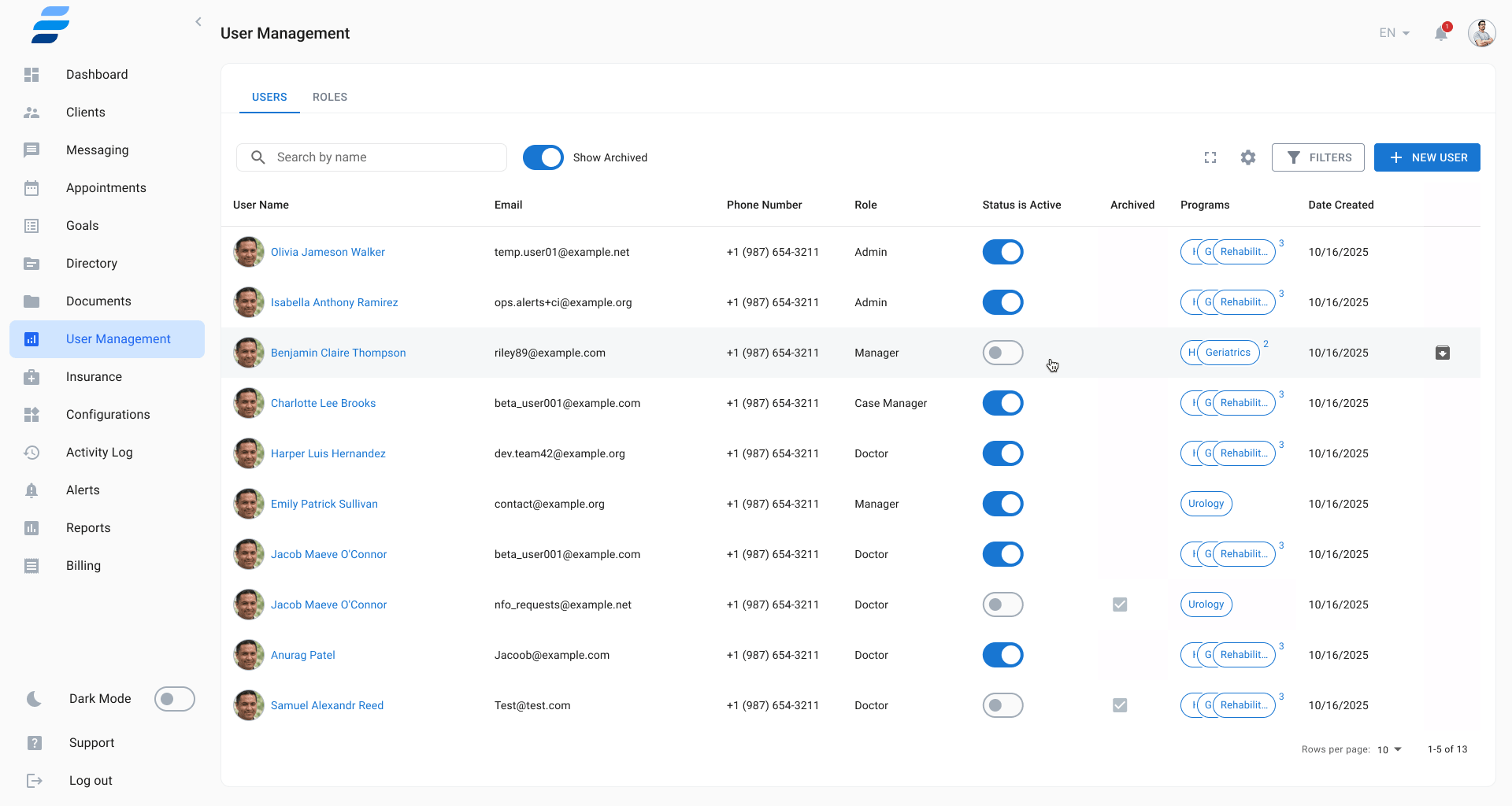
Build your team. Control every permission.
Add every staff member — doctors, case managers, insurance coordinators, admins — then define exactly what each role can see and do. Custom permission sets keep sensitive data protected while workflows stay efficient.
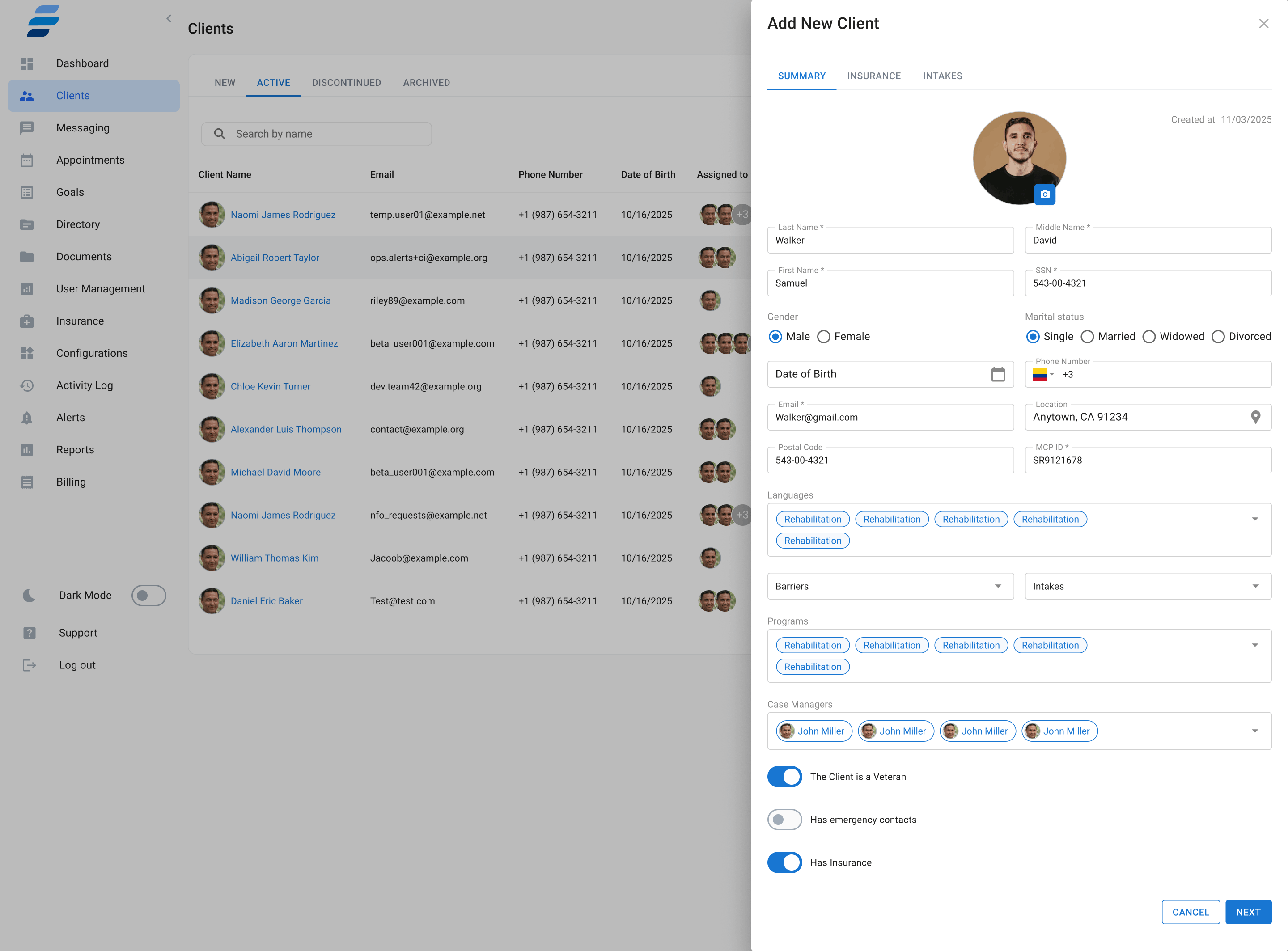
Enroll clients with a complete intake in minutes.
A guided 3-tab form captures everything upfront: demographics, full insurance details with card upload, and customized clinical intake questionnaires. Import in bulk from Excel, filter by status, and track every client from Outreach through Enrolled.
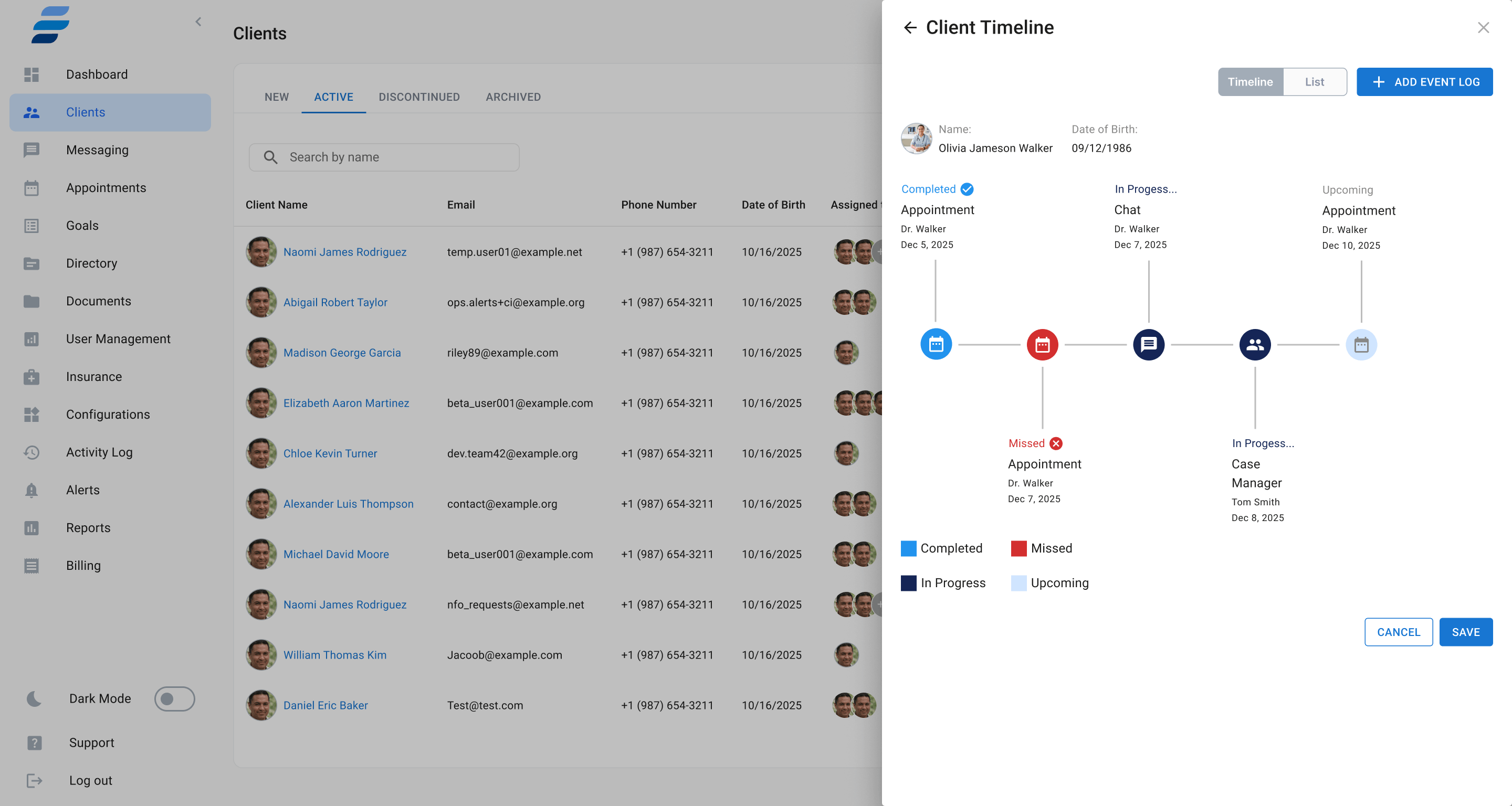
Every detail, organized in one profile.
Each client gets a rich profile with five tabs: Summary, Insurance, Intakes, Ledger, and Documents. The Timeline shows every appointment, chat, and care event — completed, missed, or upcoming — in chronological order.
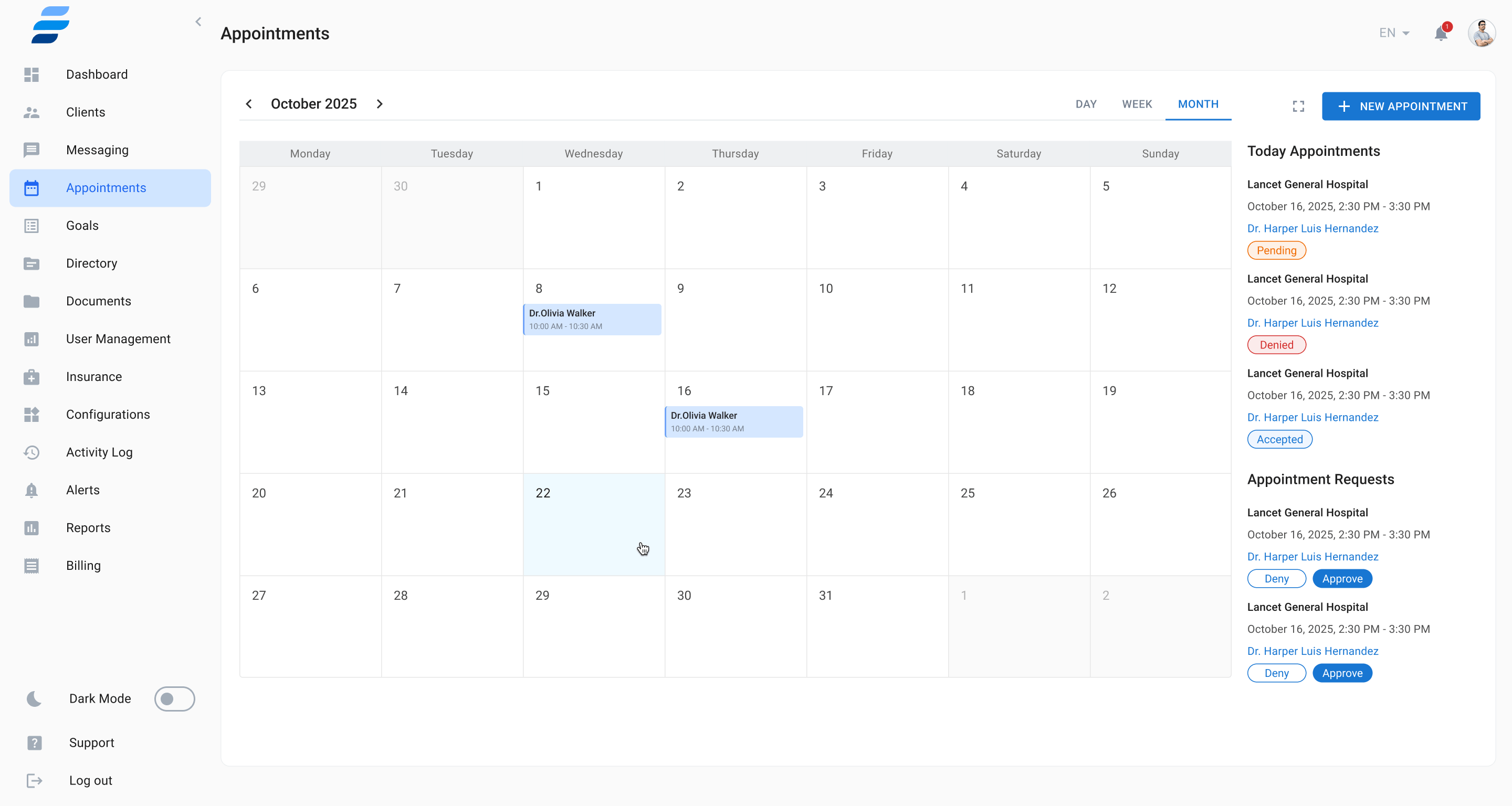
Schedule anything. Day, week, or month.
A full-featured calendar with Day, Week, and Month views. Book In Person, Video, or Call appointments with color-coded tags. Approve or deny incoming requests without leaving the calendar.
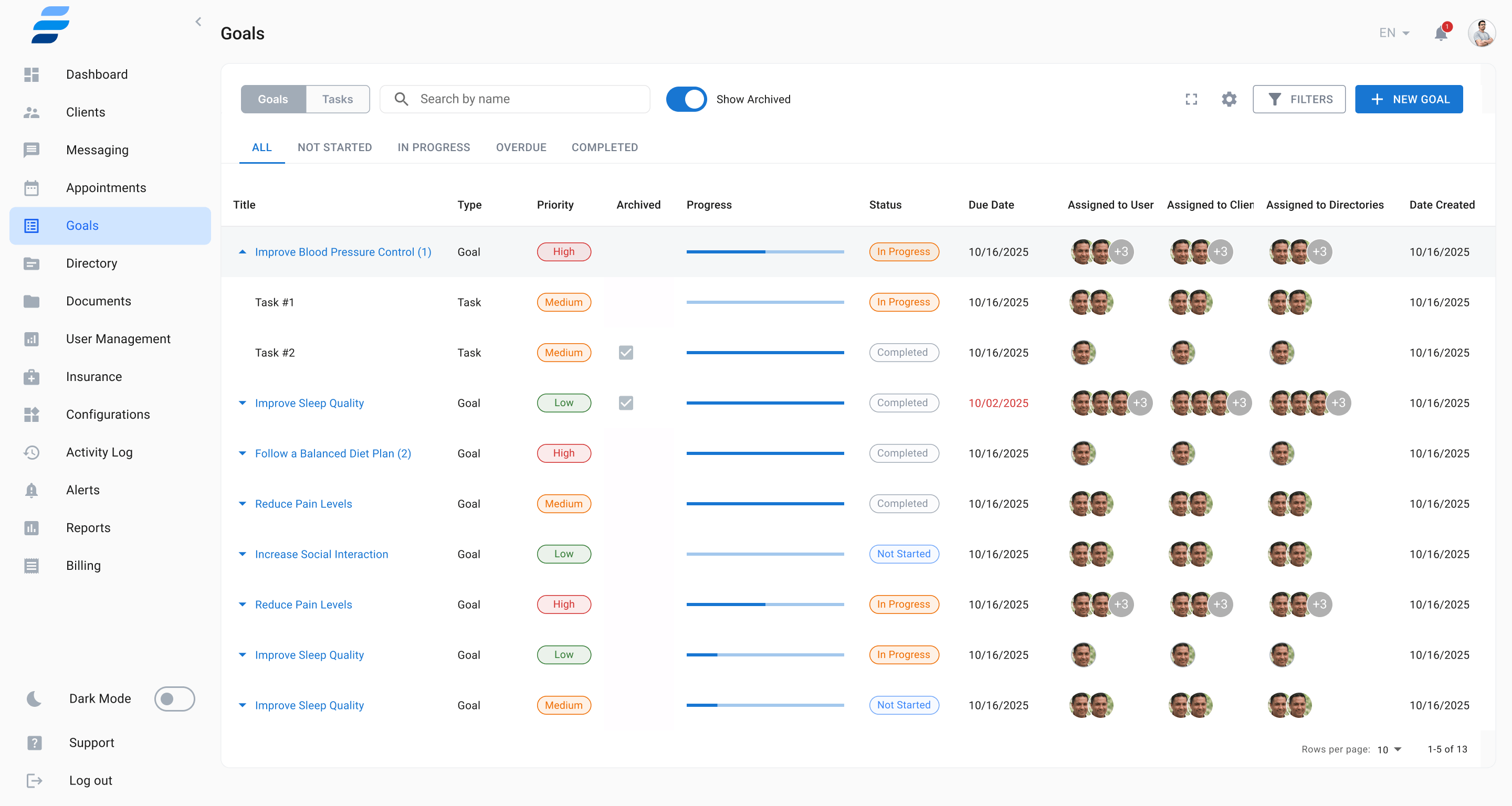
Care plans with measurable outcomes.
Build structured care plans around Goals — each with tasks, subtasks, and progress bars. Set priorities and deadlines, assign to clients, users, and directories. Team members can comment and reply on any task.
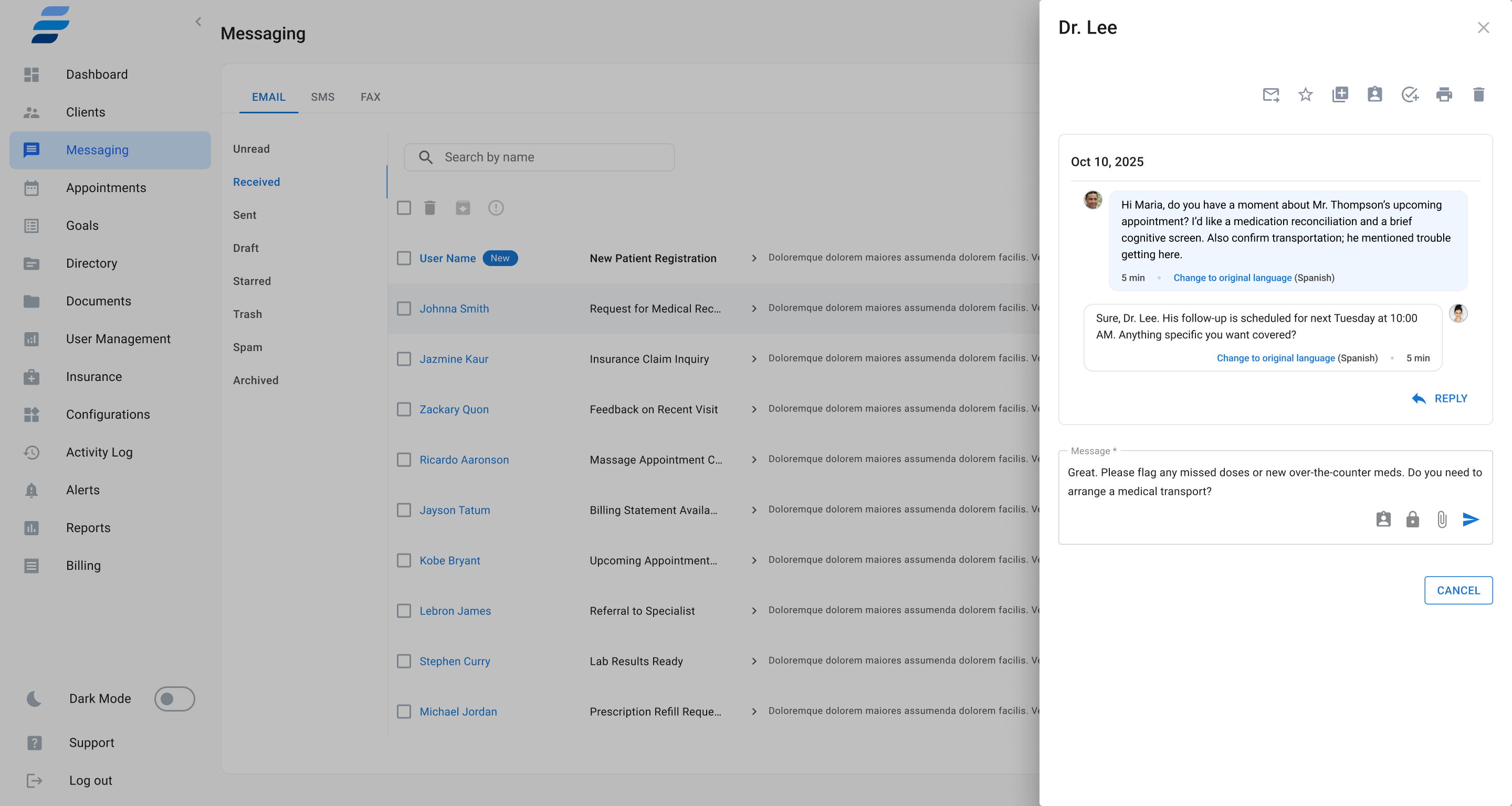
Email, SMS, Fax — and built-in video calling.
One inbox for all communication: email threads, SMS, and fax. Compose with templates, save as draft, add password protection with expiration, or attach files. Initiate a video call directly from the messaging panel.
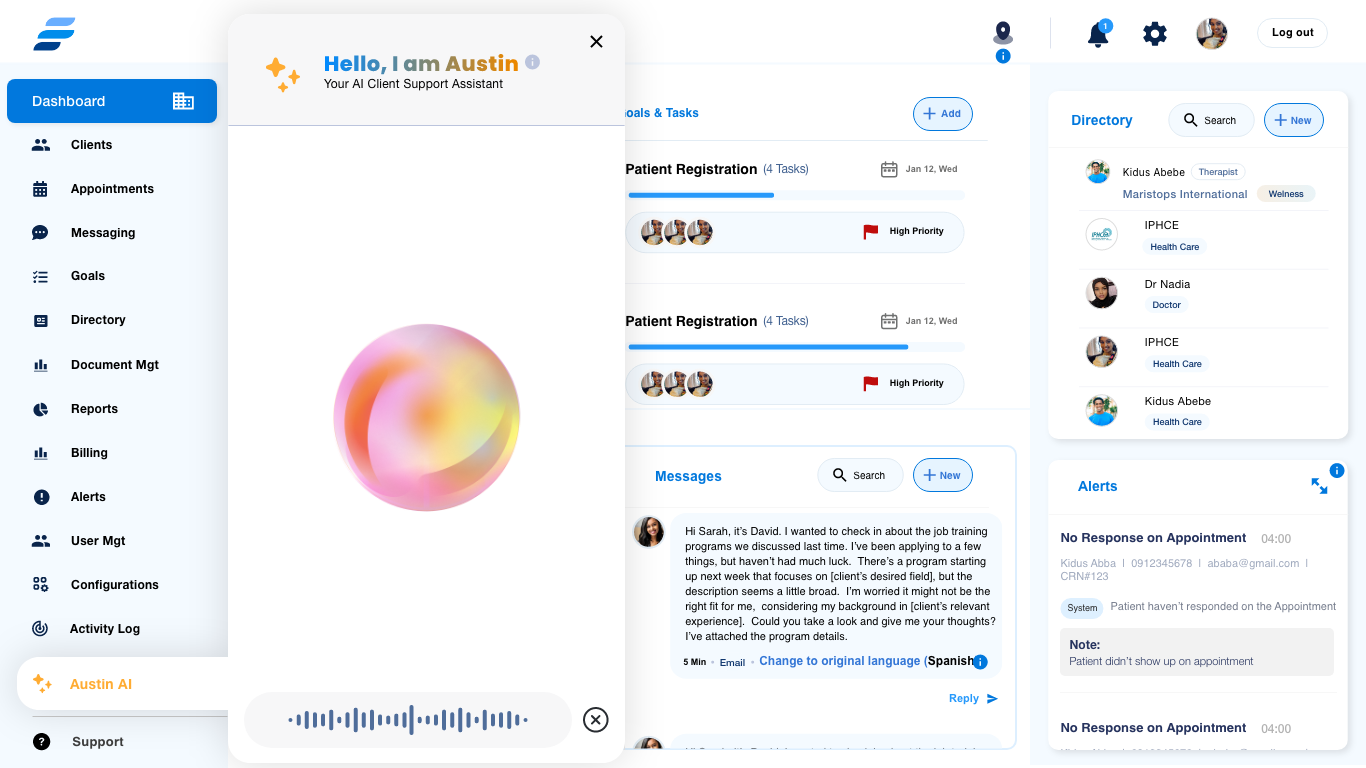
Your AI care assistant. Always on, always aware.
Austin AI is your built-in clinical support assistant — accessible from anywhere in the platform. Ask by voice or text. Austin answers questions about your clients, appointments, and goals. Every action requires your approval.
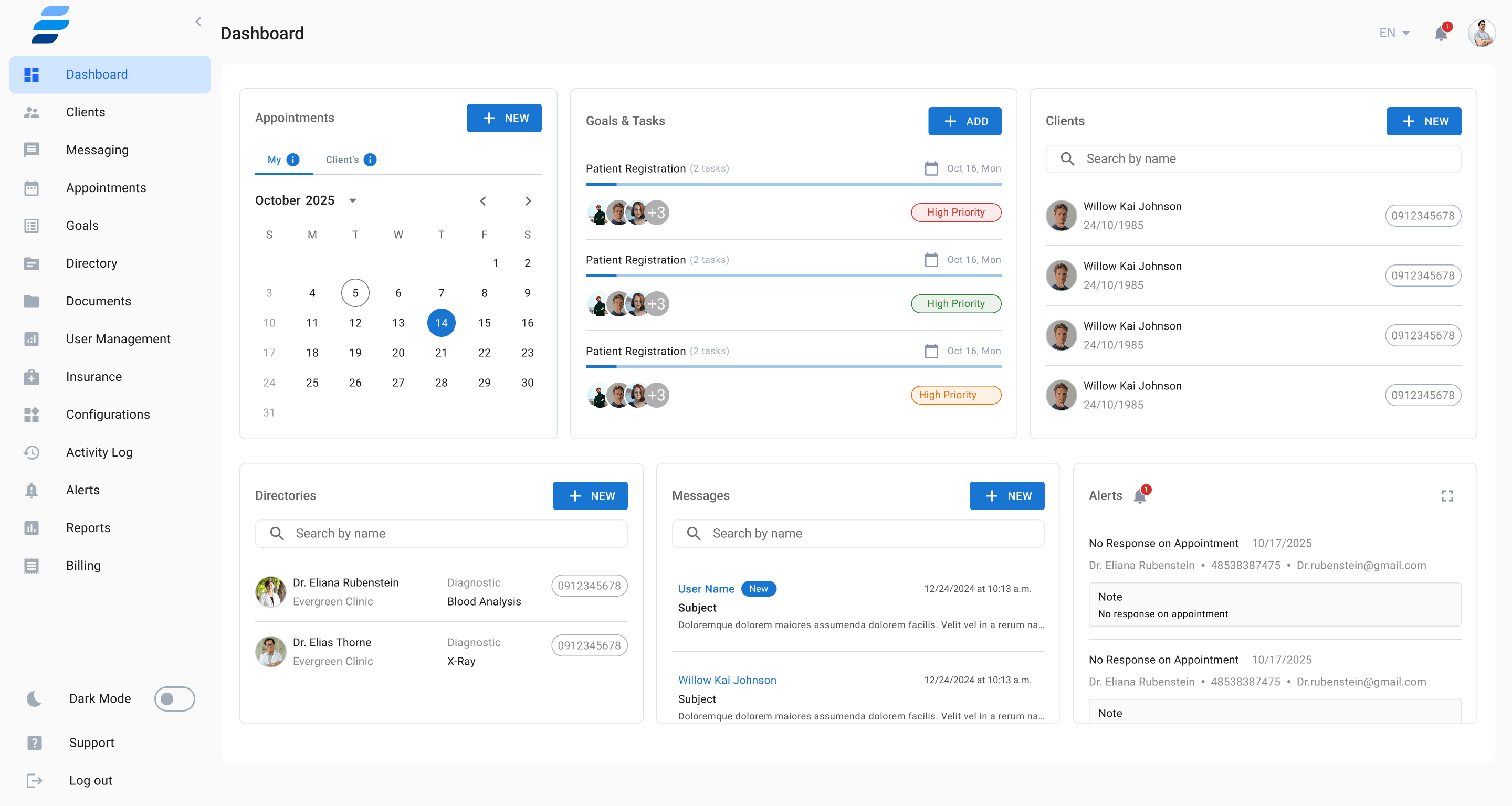
Your command center. Everything at a glance.
The Dashboard shows six live widgets at once: calendar, goals & tasks, client list, directories, message inbox, and the real-time alert feed. Alerts automatically surface missed appointments and no-response events.
One platform.
Infinite care possibilities.
Join care teams already using Enhance Care to streamline every workflow — from intake to outcomes — in a single, HIPAA-compliant system.